# 66 GSAP animation examples with code (2026)

> 66 production-ready GSAP animation examples with code: scroll, text, cursor, and canvas effects. Eight are completely free with copy-paste snippets below.

Published 2026-07-05 by Jake. Canonical: https://gsapvault.com/blog/gsap-animation-examples

---
This page collects 66 GSAP animation examples, every one production-tested with a live demo you can open in a new tab. Eight of them are completely free, with the full copy-paste code inline below. The other 58 are premium effects with a one-paragraph rundown, a preview, and a link to the interactive demo.

New to GSAP? The [GSAP effects guide](/gsap-effects) covers what an effect is, which plugin to reach for, and how to wire one into a page. This page is the full list of examples.

Here are the concrete facts if you want the short version. There are 66 examples in total. Eight are free with complete HTML and JavaScript on this page. Every example runs on GSAP 3.14, and every one ships with `prefers-reduced-motion` accessibility handling and a clean teardown path so it works inside single-page apps and frameworks.

The free snippets use only the [official GSAP CDN](https://gsap.com/docs/v3/Installation/) and, where relevant, the ScrollTrigger plugin. Nothing here needs a build step, a bundler, or a premium plugin. Paste a block into an HTML file, open it in a browser, and it runs.

## Table of contents

- [The 8 free examples with complete code](#the-8-free-examples-with-complete-code)
- [Scroll and parallax examples](#scroll-and-parallax-examples)
- [Text and typography examples](#text-and-typography-examples)
- [Cursor and hover examples](#cursor-and-hover-examples)
- [Image and gallery examples](#image-and-gallery-examples)
- [Cards and layout examples](#cards-and-layout-examples)
- [Canvas and particle examples](#canvas-and-particle-examples)
- [Background and ambient examples](#background-and-ambient-examples)
- [Loaders and page transitions](#loaders-and-page-transitions)
- [Browse by category](#browse-by-category)

## Browse by category

The sections below run in one long list. If you already know the kind of animation you want, these category pages group the same effects with a live demo grid and a plain-English rundown of the technique:

- [GSAP scroll animations](/categories/gsap-scroll-animations): pinning, parallax, scrubbed timelines and reveal-on-scroll
- [GSAP text animation effects](/categories/gsap-text-effects): split reveals, scramble, glitch typography and typewriters
- [GSAP background animations](/categories/gsap-background-animations): canvas particle fields, morphing blobs and parallax backdrops
- [GSAP cursor effects](/categories/gsap-cursor-effects): custom cursors, magnetic pulls and trails
- [GSAP hover effects](/categories/gsap-hover-effects): link, button and card hover states
- [GSAP image effects](/categories/gsap-image-effects): clip reveals, distortion and gallery transitions
- [GSAP card animations](/categories/gsap-card-animations): 3D flips, stacks and tilt
- [GSAP loading animations](/categories/gsap-loading-animations): preloaders, progress bars and page transitions

## The 8 free examples with complete code

Each of the eight examples below is self-contained. The code block includes the CDN script tags, the CSS, the markup, and the JavaScript. Every one checks [`prefers-reduced-motion`](https://developer.mozilla.org/en-US/docs/Web/CSS/@media/prefers-reduced-motion) before it animates, so users who opt out of motion still see the final content.

### 3D Card Flip

A perspective-based flip that reveals back-face content on hover, with a tap fallback on touch devices. Reach for it on team profiles, pricing cards, product feature comparisons, or flashcard interfaces where a second layer of information belongs on the reverse of the card.

```html
<script src="https://cdn.jsdelivr.net/npm/gsap@3.14.2/dist/gsap.min.js"></script>

<style>
  .flip-card { width: 240px; height: 300px; perspective: 1000px; cursor: pointer; }
  .flip-card-inner { position: relative; width: 100%; height: 100%; transform-style: preserve-3d; }
  .flip-card-front, .flip-card-back {
    position: absolute; inset: 0; backface-visibility: hidden;
    display: grid; place-items: center; border-radius: 16px; padding: 1rem; text-align: center;
  }
  .flip-card-front { background: #141414; color: #fff; }
  .flip-card-back { background: #8b5cf6; color: #fff; transform: rotateY(180deg); }
</style>

<div class="flip-card" tabindex="0" role="button" aria-label="Flip card">
  <div class="flip-card-inner">
    <div class="flip-card-front"><h3>Hover me</h3></div>
    <div class="flip-card-back"><p>Back content revealed</p></div>
  </div>
</div>

<script>
  const card = document.querySelector('.flip-card');
  const inner = card.querySelector('.flip-card-inner');
  const reduced = window.matchMedia('(prefers-reduced-motion: reduce)').matches;

  const flip = (deg) => reduced
    ? gsap.set(inner, { rotationY: deg })
    : gsap.to(inner, { rotationY: deg, duration: 0.8, ease: 'back.out(1.4)' });

  card.addEventListener('mouseenter', () => flip(180));
  card.addEventListener('mouseleave', () => flip(0));
  card.addEventListener('focus', () => flip(180));
  card.addEventListener('blur', () => flip(0));
</script>
```

See the [3D Card Flip demo](/effects/3d-card-flip) for the click mode, auto-close groups, and staggered scroll entrances.

### Scroll Progress Indicator

A fixed bar that fills as the reader moves down the page, driven by a single scrubbed ScrollTrigger. It is the standard reading-position cue for blog posts, documentation, and long-form articles. This snippet uses the linear bar; the full effect adds circle, rail, and numeric counter styles.

```html
<script src="https://cdn.jsdelivr.net/npm/gsap@3.14.2/dist/gsap.min.js"></script>
<script src="https://cdn.jsdelivr.net/npm/gsap@3.14.2/dist/ScrollTrigger.min.js"></script>

<style>
  .progress-bar {
    position: fixed; top: 0; left: 0; height: 4px; width: 100%;
    transform: scaleX(0); transform-origin: left; background: #c8ff00; z-index: 100;
  }
</style>

<div class="progress-bar" aria-hidden="true"></div>

<script>
  gsap.registerPlugin(ScrollTrigger);

  if (window.matchMedia('(prefers-reduced-motion: reduce)').matches) {
    gsap.set('.progress-bar', { scaleX: 1 });
  } else {
    gsap.to('.progress-bar', {
      scaleX: 1,
      ease: 'none',
      scrollTrigger: {
        trigger: document.documentElement,
        start: 'top top',
        end: 'bottom bottom',
        scrub: 0.5
      }
    });
  }
</script>
```

See the [Scroll Progress demo](/effects/scroll-progress) for the circular ring, vertical rail, and percentage counter variants.

### CSS Scroll Reveal

The one example on this page with no JavaScript at all. It uses native CSS scroll-driven animations and the `view()` timeline to fade and slide elements in as they enter the viewport. Ideal for performance-critical marketing pages and static sites where you want entrance motion without shipping a library.

```html
<style>
  .reveal-slide-up {
    animation: reveal-up auto linear both;
    animation-timeline: view();
    animation-range: entry 0% cover 40%;
  }
  @keyframes reveal-up {
    from { opacity: 0; transform: translateY(40px); }
    to { opacity: 1; transform: translateY(0); }
  }
  @media (prefers-reduced-motion: reduce) {
    .reveal-slide-up { animation: none; opacity: 1; transform: none; }
  }
  @supports not (animation-timeline: view()) {
    .reveal-slide-up { animation: none; opacity: 1; transform: none; }
  }
</style>

<div class="reveal-slide-up">This slides up as it enters the viewport</div>
```

CSS scroll-driven animations work in Chrome, Edge, and Safari 18 and up; the `@supports` fallback keeps content visible everywhere else. Check [caniuse.com](https://caniuse.com/css-scroll-driven-animations) for current status. See the [CSS Scroll Reveal demo](/effects/css-scroll-reveal) for the fade, scale, and directional slide classes.

### Typewriter Text

Text that types itself out character by character with a blinking cursor when it scrolls into view. It draws the eye on hero headlines and terminal-themed landing pages. The typing runs on a single GSAP tween with `snap`, so there is no `setInterval` to manage or clear.

```html
<script src="https://cdn.jsdelivr.net/npm/gsap@3.14.2/dist/gsap.min.js"></script>
<script src="https://cdn.jsdelivr.net/npm/gsap@3.14.2/dist/ScrollTrigger.min.js"></script>

<style>
  .typewriter__cursor {
    display: inline-block; width: 2px; height: 1em; background: currentColor;
    margin-left: 2px; vertical-align: text-bottom; animation: blink 1s steps(1) infinite;
  }
  @keyframes blink { 50% { opacity: 0; } }
</style>

<h2 data-typewriter>Build interfaces that feel alive.</h2>

<script>
  gsap.registerPlugin(ScrollTrigger);

  document.querySelectorAll('[data-typewriter]').forEach((el) => {
    const full = el.textContent.trim();
    el.setAttribute('aria-label', full);

    if (window.matchMedia('(prefers-reduced-motion: reduce)').matches) return;

    const textSpan = document.createElement('span');
    textSpan.setAttribute('aria-hidden', 'true');
    const cursor = document.createElement('span');
    cursor.className = 'typewriter__cursor';
    cursor.setAttribute('aria-hidden', 'true');
    el.textContent = '';
    el.append(textSpan, cursor);

    const state = { chars: 0 };
    const tween = gsap.to(state, {
      chars: full.length,
      duration: full.length * 0.045,
      ease: 'none',
      snap: { chars: 1 },
      paused: true,
      onUpdate() { textSpan.textContent = full.slice(0, state.chars); }
    });

    ScrollTrigger.create({ trigger: el, start: 'top 85%', once: true, onEnter: () => tween.play() });
  });
</script>
```

See the [Typewriter Text demo](/effects/typewriter-text) for looping phrases, custom speed, and delay controls.

### Parallax Hero

A layered hero where background, headline, and foreground move at different speeds to create depth, all from one scrubbed ScrollTrigger per scene. Each layer declares its own speed with a data attribute: values below 1 lag behind the scroll, values above 1 race ahead. No image assets required.

```html
<script src="https://cdn.jsdelivr.net/npm/gsap@3.14.2/dist/gsap.min.js"></script>
<script src="https://cdn.jsdelivr.net/npm/gsap@3.14.2/dist/ScrollTrigger.min.js"></script>

<style>
  .parallax-hero { position: relative; height: 100vh; overflow: clip; display: grid; place-items: center; }
  .parallax-layer { position: absolute; inset: -12% 0; display: grid; place-items: center; will-change: transform; }
  .hero-blob {
    width: 60vmin; height: 60vmin; border-radius: 50%;
    background: radial-gradient(circle, #8b5cf6, transparent 70%); filter: blur(40px);
  }
</style>

<section class="parallax-hero" data-parallax>
  <div class="parallax-layer" data-parallax-speed="0.3" aria-hidden="true">
    <div class="hero-blob"></div>
  </div>
  <div class="parallax-layer" data-parallax-speed="0.8">
    <h1>Depth without images</h1>
  </div>
</section>

<script>
  gsap.registerPlugin(ScrollTrigger);

  gsap.matchMedia().add('(prefers-reduced-motion: no-preference)', () => {
    document.querySelectorAll('[data-parallax]').forEach((scene) => {
      const layers = scene.querySelectorAll('[data-parallax-speed]');
      const tl = gsap.timeline({
        scrollTrigger: { trigger: scene, start: 'clamp(top bottom)', end: 'clamp(bottom top)', scrub: true }
      });
      layers.forEach((layer) => {
        const shift = (1 - parseFloat(layer.dataset.parallaxSpeed)) * 50;
        tl.fromTo(layer, { yPercent: -shift }, { yPercent: shift, ease: 'none' }, 0);
      });
    });
  });
</script>
```

See the [Parallax Hero demo](/effects/parallax-hero) for the fade-on-exit option and multi-scene layouts.

### Image Clip Reveal

Images that wipe into view with an animated `clip-path` while the inner picture settles from an oversized scale down to its natural size, the classic Ken Burns settle. The initial hidden state lives in CSS, so images never flash before the script runs. Perfect for editorial photo grids and portfolio case studies.

```html
<script src="https://cdn.jsdelivr.net/npm/gsap@3.14.2/dist/gsap.min.js"></script>
<script src="https://cdn.jsdelivr.net/npm/gsap@3.14.2/dist/ScrollTrigger.min.js"></script>

<style>
  [data-clip-reveal] { overflow: hidden; clip-path: inset(0 0 100% 0); }
  [data-clip-reveal] img { display: block; width: 100%; height: auto; transform: scale(1.25); }
  @media (prefers-reduced-motion: reduce) {
    [data-clip-reveal] { clip-path: none !important; }
    [data-clip-reveal] img { transform: none !important; }
  }
</style>

<div data-clip-reveal>
  <img src="photo.jpg" alt="Description of the photo">
</div>

<script>
  gsap.registerPlugin(ScrollTrigger);

  gsap.matchMedia().add('(prefers-reduced-motion: no-preference)', () => {
    document.querySelectorAll('[data-clip-reveal]').forEach((wrap) => {
      const img = wrap.querySelector('img');
      gsap.timeline({ scrollTrigger: { trigger: wrap, start: 'top 85%', once: true } })
        .to(wrap, { clipPath: 'inset(0%)', duration: 1.1, ease: 'expo.out' }, 0)
        .to(img, { scale: 1, duration: 1.1, ease: 'expo.out' }, 0);
    });
  });
</script>
```

See the [Image Clip Reveal demo](/effects/image-clip-reveal) for the four wipe directions and staggered reveal groups.

### Hover Underline

An animated link underline that grows from the left on hover and exits through the right, so it never plays in reverse. It runs on GSAP core alone, no plugins, and the script injects the underline element for you, so your markup stays clean. Focus and blur mirror the hover, so keyboard users get the same animation.

```html
<script src="https://cdn.jsdelivr.net/npm/gsap@3.14.2/dist/gsap.min.js"></script>

<style>
  [data-underline] { position: relative; text-decoration: none; color: inherit; }
  .hu-line {
    position: absolute; left: 0; bottom: -2px; width: 100%; height: 2px;
    background: currentColor; transform: scaleX(0); transform-origin: left;
  }
  @media (prefers-reduced-motion: reduce) {
    [data-underline] { text-decoration: underline; }
  }
</style>

<a href="/work" data-underline>Work</a>

<script>
  if (!window.matchMedia('(prefers-reduced-motion: reduce)').matches) {
    document.querySelectorAll('[data-underline]').forEach((link) => {
      const line = document.createElement('span');
      line.className = 'hu-line';
      line.setAttribute('aria-hidden', 'true');
      link.appendChild(line);

      const enter = () => {
        gsap.set(line, { transformOrigin: 'left' });
        gsap.to(line, { scaleX: 1, duration: 0.4, ease: 'power2.out' });
      };
      const leave = () => {
        gsap.set(line, { transformOrigin: 'right' });
        gsap.to(line, { scaleX: 0, duration: 0.4, ease: 'power2.in' });
      };

      link.addEventListener('mouseenter', enter);
      link.addEventListener('mouseleave', leave);
      link.addEventListener('focus', enter);
      link.addEventListener('blur', leave);
    });
  }
</script>
```

See the [Hover Underline demo](/effects/hover-underline) for the marker-style fill and hand-drawn SVG wave variants.

### Scroll Text Highlight

Editorial copy that reads itself: as the reader scrolls, each word brightens from dim to full and the leading word flashes in your accent colour, so a moving band of highlighted text follows the eye down the paragraph. It splits the text into word spans in plain JavaScript, then drives a single scrubbed ScrollTrigger timeline, so scrolling back up un-lights the words in perfect reverse. Reach for it on manifestos, long-form intros, and any passage you actually want people to read.

```html
<script src="https://cdn.jsdelivr.net/npm/gsap@3.14.2/dist/gsap.min.js"></script>
<script src="https://cdn.jsdelivr.net/npm/gsap@3.14.2/dist/ScrollTrigger.min.js"></script>

<style>
  .read-along {
    max-width: 22ch; margin: 50vh auto; font-weight: 600; line-height: 1.4;
    font-size: clamp(1.75rem, 5vw, 3rem);
  }
  .read-along .word { color: #fff; }
  .read-along.is-live .word { color: #3a3a3a; }
</style>

<p class="read-along" data-read-along>Attention is the rarest thing you can give a page. Slow down, and the meaning arrives.</p>

<script>
  gsap.registerPlugin(ScrollTrigger);

  document.querySelectorAll('[data-read-along]').forEach((el) => {
    // Split into word spans in plain JS, no plugin needed
    const words = el.textContent.trim().split(/\s+/);
    el.textContent = '';
    const spans = words.map((w) => {
      const s = document.createElement('span');
      s.className = 'word';
      s.textContent = w;
      el.append(s, document.createTextNode(' '));
      return s;
    });

    // Reduced motion (and no-JS): leave every word at full readable colour
    if (window.matchMedia('(prefers-reduced-motion: reduce)').matches) return;

    el.classList.add('is-live'); // now safe to dim the un-read words
    const tl = gsap.timeline({
      scrollTrigger: { trigger: el, start: 'top 80%', end: 'bottom 45%', scrub: true }
    });
    spans.forEach((s, i) => {
      tl.to(s, { color: '#c8ff00', duration: 0.4 }, i * 0.5)     // lead word lights in accent
        .to(s, { color: '#fff', duration: 0.6 }, i * 0.5 + 0.4); // then settles to full white
    });
  });
</script>
```

See the [Scroll Text Highlight demo](/effects/scroll-text-highlight) for the heading mode, adjustable band width, and per-word settle timing.

## Scroll and parallax examples

Scroll-driven animation is where GSAP earns its keep. ScrollTrigger handles pinning, scrubbing, and viewport detection that would take hundreds of lines of Intersection Observer code to approximate. These eleven premium effects cover the most requested patterns.

### Scroll Hijack Sections

![Scroll Hijack Sections effect showing word-by-word text reveal in a pinned section](/thumbnails/scroll-hijack-sections.webp)

A scroll-driven, word-by-word text reveal with pinned sections that lock in place while the content animates. Three reveal directions, horizontal slide, vertical rise, and scale through a blur, create different reading experiences, and chapters chain with no empty scroll between them. Scroll speed is a second input on top of the scrub: a hard flick skews every word in the direction of travel and blurs the block, then eases it back upright. Built for brand storytelling, product walkthroughs, and immersive long-form editorial. View the [Scroll Hijack Sections effect](/effects/scroll-hijack-sections).

### Scroll Image Sequence
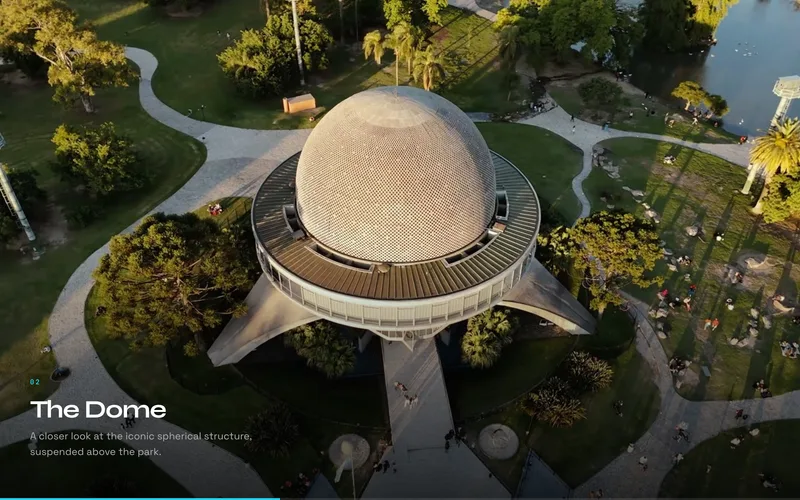
![Scroll Image Sequence effect playing pre-rendered frames on a canvas as the page scrolls](/thumbnails/scroll-image-sequence.webp)

An Apple-style, scroll-driven image sequence that draws pre-rendered frames to a canvas as the user scrolls. ScrollTrigger pins the viewport and maps scroll progress to frame index, giving you the same frame-by-frame playback that powers premium product reveals. It preloads frames with a progress indicator and renders at HiDPI for crisp results on retina screens. View the [Scroll Image Sequence effect](/effects/scroll-image-sequence).

### Scroll Sequence Hero Transition
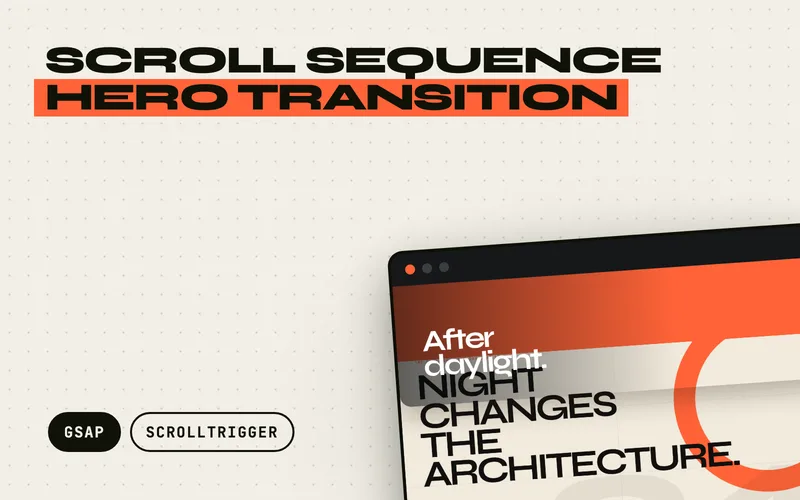
![Scroll Sequence Hero Transition lifting a cinematic image-sequence hero away above an orange chase layer to reveal editorial content](/thumbnails/scroll-sequence-hero-transition.webp)

A scroll-driven image sequence built for the moment a hero becomes the page. Numbered frames scrub across a full-screen canvas first; on the final push, the footage and its type lift away as one sheet, an accent layer chases behind it, and real semantic content settles into view before the pin releases into normal scrolling. Editorial, Serif, and Mono controls restyle the typography, palette, image grade, and geometry without changing the animation. Scroll velocity briefly skews and blurs the departing title, then decays back to crisp, while mobile keeps the same visible handoff over a shorter journey. View the [Scroll Sequence Hero Transition effect](/effects/scroll-sequence-hero-transition).

### Split-Screen Hero Handoff
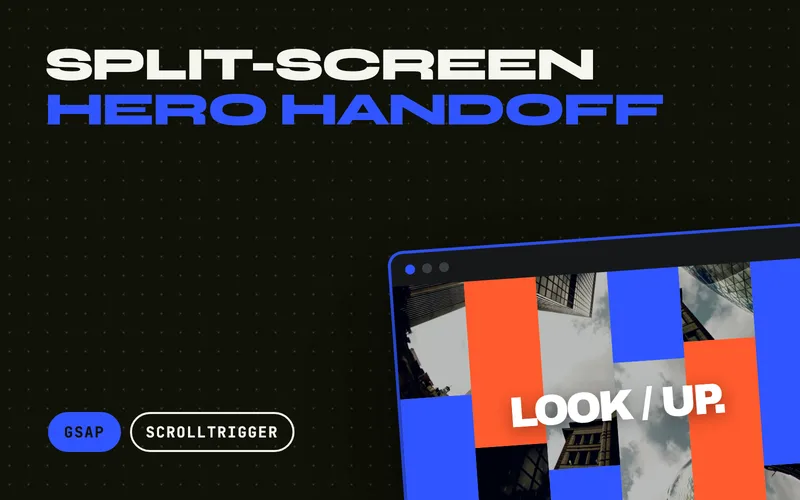
![Split-Screen Hero Handoff opening an architectural video into alternating vertical canvas shutters above cobalt and orange chase panels](/thumbnails/split-screen-hero-handoff.webp)

A full-screen ambient video that fractures into six live vertical shutters as the visitor scrolls. The effect decodes one video, samples adjacent slices into six lightweight canvases, and sends those columns up and down in a centre-out stagger while cobalt and orange panels chase behind them. Its headline pulls apart around the seam, hard wheel flicks briefly skew the title and slats, and real page content settles underneath before the pin releases. View the [Split-Screen Hero Handoff effect](/effects/split-screen-hero-handoff).

### Scroll Video Scrub
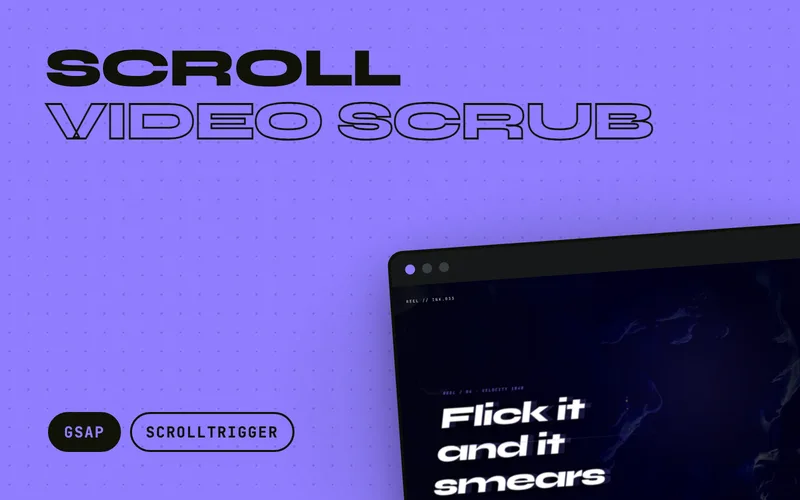
![Scroll Video Scrub effect seeking a real video frame-by-frame while chapter panels pan sideways across the pinned footage](/thumbnails/scroll-video-scrub.webp)

The same Apple-keynote scrub, but driven from a real `<video>` instead of a canvas image sequence: scroll progress maps straight onto the video's `currentTime`, so the footage seeks frame-by-frame as you scroll, while a horizontal track of chapter panels pans sideways across the pinned film on the same scrubbed timeline. Seeks are throttled by the video's own `seeked` event so they never pile up, the clip ships all-intra so every seek lands instantly, and a hard flick smears the type with scroll velocity before it settles crisp. Touch devices get the film looping muted as a backdrop with the chapters stacked. View the [Scroll Video Scrub effect](/effects/scroll-video-scrub).

### Scroll Morph Mask Video

![Scroll Morph Mask Video effect showing looping footage through the letterforms FLUX with a cyan and pink chromatic fringe on a fast scroll](/thumbnails/scroll-morph-mask-video.webp)

A looping video that never stops playing, seen through a vector mask that scroll morphs from a small mark, through the letterforms of a word, then zooms through one letter to full bleed. MorphSVG drives one SVG clip-path on a real `<video>`, so any muted MP4 works with no special encode. Flick the wheel and the mask breathes: it inflates and tilts with scroll velocity, the edge splits cyan and pink, a ripple runs along the cut and the footage speeds up before an elastic settle. [View the Scroll Morph Mask Video demo](/effects/scroll-morph-mask-video).

### Isometric Scroll Wall

![Isometric Scroll Wall effect showing lanes of cream, blue and orange poster tiles on a tilted isometric plane travelling in opposite directions as the page scrolls](/thumbnails/isometric-scroll-wall.webp)

A wall of poster tiles laid on one tilted isometric plane, where adjacent lanes travel in opposite directions and wrap forever, so there is no start, no end and no visible seam however far you scroll. Each lane measures the frame and clones your tiles to whatever length covers it, rounded to a whole number of sets so no tile ever lands beside its own copy. A hard wheel flick banks the entire plane, fans the lanes apart, stretches the tiles along their own axis and pulls a light sweep across the wall before it springs back to the locked angle. Interaction is two-stage: hover raises a tile off the plane, a click or tap pulls it square to the viewer while the rest of the wall dims. View the [Isometric Scroll Wall effect](/effects/isometric-scroll-wall).

### Scroll Depth Corridor

![Scroll Depth Corridor effect showing panels receding down a dark corridor with the hero headline locked at the vanishing point](/thumbnails/scroll-depth-corridor.webp)

A corridor of panels that the camera flies through as you scroll, wrapping from the far plane to the near one so the fly-through never ends. Panels turn to face you as they reach the near plane and haze back toward the room colour as they recede, and the hero headline sits locked at the vanishing point, outside the 3D chain, so nothing can ever cross in front of it. Flick the wheel hard and it warp jumps: the field of view widens, the fog pulls back, every panel stretches along its own line of travel and a streak layer converges on the vanishing point, then it springs back to cruise while the headline stays pin sharp. View the [Scroll Depth Corridor effect](/effects/scroll-depth-corridor).

### Editorial Scrollytelling

![Editorial Scrollytelling effect showing a long-form news article where a night photograph stays put and changes shape as each section of prose scrolls past it](/thumbnails/editorial-scrollytelling.webp)

A reusable version of the scrollytelling pattern news sites use for a long read. A photograph stays put while you read a section of the article past it, then hands over to the next one at the section boundary. It does not crossfade: each section's picture has a genuinely different shape, so the panel morphs from a 21:9 panorama to portrait to landscape to square with GSAP Flip, its real width and height animating so the photograph reflows instead of stretching. The incoming picture wipes and drifts in from the direction of travel, settles just after the frame, and reverses properly when the reader scrolls back. The prose itself stays in ordinary document flow, so a section can be as long as the story needs, while the newsroom styling remains a replaceable demo skin. View the [Editorial Scrollytelling effect](/effects/editorial-scrollytelling).

### Horizontal Scroll Section

![Horizontal Scroll Section effect translating a track of panels sideways on vertical scroll](/thumbnails/horizontal-scroll-section.webp)

A pinned section where vertical scrolling translates a horizontal track of panels sideways, then releases cleanly when the track ends. Panels can be any mix of widths because the travel distance is measured from the track's real `scrollWidth`, so the layout stays accurate through resizes and font loads. Optional snap-to-panel, per-element parallax, and a scrub-linked progress bar are all driven by data attributes. View the [Horizontal Scroll Section effect](/effects/horizontal-scroll-section).

### SVG Line Draw on Scroll

![SVG Line Draw effect animating strokes as if sketched by an invisible pen](/thumbnails/svg-line-draw.webp)

SVG paths that draw themselves as you scroll, using the classic `stroke-dasharray` and `stroke-dashoffset` technique. It needs no premium plugin: core GSAP plus ScrollTrigger handle everything, and each shape is auto-measured with `getTotalLength()` so it works on paths, lines, circles, rects, and polylines alike. Choose scrubbed drawing that follows the scrollbar in both directions, or a play-once reveal on viewport entry. View the [SVG Line Draw effect](/effects/svg-line-draw).

### Count-Up Stats

![Count-Up Stats effect animating numbers from zero to their target value on scroll](/thumbnails/count-up-stats.webp)

Scroll-triggered number counters that animate from zero to their target the moment they enter view, with locale-aware thousands separators, currency prefixes, percentage suffixes, and decimal precision through simple data attributes. Each counter fires exactly once so it never replays mid-read, and stat blocks fade and rise in a staggered sequence as their numbers climb. A beginner-friendly effect that gives metrics sections instant momentum. View the [Count-Up Stats effect](/effects/count-up-stats).

### Scroll Zoom Portal

![Scroll Zoom Portal effect scaling a framed panel up to swallow the viewport while the headline parts around it](/thumbnails/scroll-zoom-portal.webp)

A pinned section where a small framed panel zooms up to swallow the whole viewport, so scrolling feels like stepping through a portal into the next scene. The headline splits into two halves that part around the frame with rising letter-spacing and blur, while the scene inside counter-scales against the frame so the world through the window holds perfectly still. Once full-bleed, the content inside rises in and the pin releases with no jump; scroll back up and the whole passage runs in reverse. View the [Scroll Zoom Portal effect](/effects/scroll-zoom-portal).

### Scroll Path Journey

![Scroll Path Journey effect with a marker following an SVG route as checkpoints activate on scroll](/thumbnails/scroll-path-journey.webp)

Responsive scroll storytelling built with MotionPathPlugin and ScrollTrigger: a directional marker follows an SVG route with automatic rotation, the travelled line draws in behind it, and content checkpoints activate at precise progress values as the reader moves through the section. Separate desktop and mobile paths keep the composition intentional at every size, and a ResizeObserver rebuilds the MotionPath alignment on resize without losing the reader's place. Ideal for process walkthroughs, timelines, and "how it works" narratives. View the [Scroll Path Journey effect](/effects/scroll-path-journey).

### Liquid Fill Reveal

![Liquid Fill Reveal effect filling a panel with simulated fluid while the headline inverts below the waterline](/thumbnails/liquid-fill-reveal.webp)

A scroll-scrubbed liquid that fills a panel behind your own markup, with a surface that behaves like real water rather than a moving straight line. The waterline is a height field of coupled springs, so scroll velocity sets it sloshing against the walls, and everything below it inverts and leans with the local tilt. Flick the scroll hard and the surface tilts, overshoots, and damps back to level; the lean is sized per element, so a display headline refracts visibly while body copy underneath stays readable. Your content stays real DOM text, cloned into an inverted layer and clipped live to the wave, so it works on a headline you already have. View the [Liquid Fill Reveal effect](/effects/liquid-fill-reveal).

## Text and typography examples

Text is the most animated element on the web. Beyond the free typewriter effect above, these premium effects cover split reveals, cipher decodes, glitch distortion, cursor-reactive characters, velocity-driven skew, a cursor-repelled headline, a mechanical split-flap board, and a pile of words with real weight behind them.

### Split Text Stagger Reveal

![Split Text Reveal effect animating characters and words into view with a stagger](/thumbnails/split-text-reveal.webp)

A comprehensive text-splitting system that breaks content into characters, words, or lines, then applies staggered reveal animations as elements scroll into view. Seven distinct styles, fade, scale, blur, rotate, clip mask, slide, and elastic, each carry their own timing curve, and the whole thing is built on GSAP SplitText for reliable splitting across fonts and languages. The workhorse choice for polished hero and section headings. View the [Split Text Reveal effect](/effects/split-text-reveal).

### Text Scramble Decode

![Text Decode effect scrambling characters through random glyphs before resolving](/thumbnails/text-decode.webp)

A cipher-style animation that scrambles characters through random glyphs before revealing the final content, inspired by sci-fi terminals and hacker interfaces. It supports four trigger modes, scroll, hover, click, and auto-play, and five decode directions from left-to-right to center-out and random. Custom character sets let you match the scramble to your design language, techy, cyberpunk, or something in between. View the [Text Scramble Decode effect](/effects/text-decode).

### Glitch Text Effect

![Glitch Text effect with RGB chromatic aberration and scan lines on a headline](/thumbnails/glitch-text.webp)

Four glitch styles from one engine: displacement shift, true RGB chromatic aberration, VHS scan slice that cuts the text into displaced bands, and character-level chaos that swaps glyphs mid-burst. Triggers cover hover, focus, click, scroll-into-view and a repeating interval, and a single `data-glitch-trigger-all` button corrupts every element on the page at once. Every burst is randomised, rate-limited to 20fps for WCAG 2.3.1, and reverts to clean, selectable text. View the [Glitch Text effect](/effects/glitch-text).

### Text Hover Distortion

![Text Hover Distortion effect where characters react to cursor proximity](/thumbnails/text-hover-distortion.webp)

An interactive effect where individual characters react to cursor proximity with physics-based displacement: push, pull, wave, or rotation, based on distance from the pointer. It tracks position at 60fps with `gsap.quickTo` and returns characters to rest with elastic easing. This is a desktop-focused, short-text effect for interactive hero headings and creative navigation, with a graceful mobile fallback. View the [Text Hover Distortion effect](/effects/text-hover-distortion).

### Scroll Velocity Skew

![Scroll Velocity Skew effect smearing sheared headlines with motion blur and chromatic fringing mid-flick](/thumbnails/scroll-velocity-skew.webp)

Kinetic typography that reacts to scroll speed: lines shear and stretch in proportion to velocity, smear with motion blur and cyan-red chromatic fringing on a hard flick, then whip back line by line with an elastic overshoot. Alternating shear directions turn the flick into a wave travelling down the stack, and a scatter mode drives image grids apart and back on the same input. The filter channels are gated to fine pointers, so phones keep a clean transform-only version at 60fps. View the [Scroll Velocity Skew effect](/effects/scroll-velocity-skew).

### Elastic Repel Headline

![Elastic Repel Headline effect with display letters scattering away from the cursor and springing back](/thumbnails/elastic-repel-headline.webp)

A display headline that shoves each letter out of the cursor's path, with displacement scaled by pointer speed, so a slow drag nudges the letters while a fast flick throws them far. The same input drives three secondary channels at once: letters tilt as they are shoved, smear with a velocity-driven blur, and dip in scale and opacity at peak displacement, then overshoot home with an elastic spring as the cursor leaves. It runs on GSAP core alone, and on touch a tap fires a one-shot scatter so phone visitors still get the moment. View the [Elastic Repel Headline effect](/effects/elastic-repel-headline).


### Split-Flap Board

![Split-Flap Board effect flipping characters on hinged leaves like an airport departure board](/thumbnails/split-flap-board.webp)

An airport departure board rendered in the DOM: every character sits on a hinge, and a leaf swings a full 180 degrees onto the half below it, casting a shadow that peaks as it passes edge-on. Cells roll through a configurable character set and decelerate into their destination rather than ticking uniformly, staggered across rows and columns so the board resolves as a wave out of the top-left corner, and the final flap overshoots a hair before it settles. A shuffle control re-flips every cell to a fresh string, per-row character sets let number rows roll digits while word rows roll letters, and because the cells are generated from the text already in your markup, screen readers and visitors without JavaScript get the real text rather than a stream of rolling characters. View the [Split-Flap Board effect](/effects/split-flap-board).

### Physics Word Pile

![Physics Word Pile effect with display words falling, colliding and stacking into a heap](/thumbnails/physics-word-pile.webp)

Words as physical objects. They drop into the frame, knock each other sideways, tumble and settle into a heap that never lands the same way twice, and you can grab any of them: a held word dangles from the exact point you caught it, and a flick sends it off at the speed of your pointer to scatter whatever it lands on. Impacts read on three channels at once, a squash along the chip, a rim flash, and a shockwave ring scaled by the force of the collision. The solver underneath is hand-written on GSAP's ticker in a few hundred lines, with restitution, friction and rotational inertia and no physics library, so the words stay real HTML you can select and translate. A righting torque keeps them settling legible instead of balancing on their ends. View the [Physics Word Pile effect](/effects/physics-word-pile).


## Cursor and hover examples

Custom cursors and hover interactions are the signature of award-winning agency sites. These seven effects run on GSAP core, using `quickTo` and element pooling to stay at 60fps even during fast mouse movement.

### Magnetic Cursor Effect

![Magnetic Cursor effect pulling a button toward the pointer with elastic physics](/thumbnails/magnetic-cursor.webp)

An elastic magnetic attraction that makes elements pull toward the cursor when it enters their field, then snap back naturally on exit. Strength, radius, and easing are configurable per element through data attributes, and an optional inner-content offset creates layered depth. It works on any element, buttons, links, images, or cards, and disables itself gracefully on touch devices. View the [Magnetic Cursor effect](/effects/magnetic-cursor).

### Cursor Trail Effect

![Cursor Trail effect with a dot and trailing ring following the mouse](/thumbnails/cursor-trail.webp)

A premium custom cursor with a precise dot and a trailing ring that follow the mouse at independent easing speeds. The ring expands over interactive elements, shrinks on click, and can reveal content through a spotlight mode. Built with `gsap.quickTo` for consistent 60fps tracking and `mix-blend-mode` support for automatic colour inversion over any background. View the [Cursor Trail effect](/effects/cursor-trail).

### Cursor Confetti Trail

![Cursor Confetti Trail effect spawning colourful shapes that bounce and fall on mouse move](/thumbnails/cursor-confetti-trail.webp)

A playful cursor trail that spawns colourful geometric shapes at the pointer as you move, each scaling in with an elastic bounce, rotating randomly, and falling away with a gravity-like ease. DOM elements are recycled in a round-robin pool using `gsap.utils.wrap()`, so there is zero garbage-collection overhead no matter how long you move the mouse. Inline SVG shapes mean no external dependencies. View the [Cursor Confetti Trail effect](/effects/cursor-confetti-trail).

### Hover Image Trail

![Hover Image Trail effect spawning preview images that follow the cursor across a list](/thumbnails/hover-image-trail.webp)

The signature award-site interaction: as the cursor sweeps across a section, preview images spawn at the pointer, drift in the direction of travel with a velocity-based tilt, then scale and fade away. Each row defines its own image set, and a fixed element pool is reused round-robin so the DOM never grows. Built on GSAP core only, with a keyboard-focus fallback that reveals each row's image statically. View the [Hover Image Trail effect](/effects/hover-image-trail).


### Cursor Spotlight Mask

![Cursor Spotlight Mask effect revealing a hidden layer through a soft aperture that follows the pointer](/thumbnails/cursor-spotlight-mask.webp)

Two complete compositions occupy one box, and a soft aperture following the pointer is the only way to see the one underneath. The aperture is not a fixed circle: its radius grows with pointer speed, it stretches along the axis you are moving so a hard whip draws it into a lens streak, and an accent rim rides the edge a beat behind the centre before the whole thing springs back on an elastic settle. On a touch device the aperture drifts along its own slow path and jumps to a tap, and a keyboard-reachable button opens it over the whole composition, so neither layer is locked behind a mouse. View the [Cursor Spotlight Mask effect](/effects/cursor-spotlight-mask).

### Sticker Peel

![Sticker Peel effect with a die-cut sticker peeled back mid-drag, showing its pale underside and a gloss along the fold](/thumbnails/sticker-peel.webp)

Grab any corner of a sticker and peel: the face clips away along a real moving fold, the underside curls over as a mirrored pale backing, a gloss highlight rides the crease, and the cast shadow grows as the sticker lifts off the sheet. Release early and it snaps back with an elastic wobble; peel past the threshold and it rips clean off, tumbling away at the speed of your fling and leaving a faint residue ghost before respawning. The die-cut is honoured throughout, so circles, starbursts and arches peel with their true silhouette rather than a white rectangle, all computed as clip-path polygons on GSAP core with no plugins. Touch peeling works identically, and every sticker is keyboard-reachable with a peel-and-return preview on Enter. View the [Sticker Peel effect](/effects/sticker-peel).

### Plucked Strings

![Plucked Strings effect with glowing elastic strings bent into curves mid-oscillation across a dark stage](/thumbnails/plucked-strings.webp)

A field of taut SVG strings that bend around your cursor like instrument strings and twang back with a damped oscillation when you let go. Whip straight through the field and every string snaps in a cascade, glowing brighter the harder it is deflected, while hard releases pass a sympathetic shimmer to the neighbouring strings. Flip the opt-in sound toggle and every pluck is voiced too: Karplus-Strong synthesis through the Web Audio API (no audio files), tuned to a standard guitar's open strings, so whipping the six-string field strums a real open-string chord. Each string is a single quadratic bezier stepped on `gsap.ticker`, so strings at rest cost zero work per frame and the whole thing runs on GSAP core with no plugins. Touch-drag plucking works identically on phones, the strings are keyboard-playable with the arrow keys, and reduced motion renders a clean static composition. View the [Plucked Strings effect](/effects/plucked-strings).
## Image and gallery examples

Galleries and image strips are where motion meets content. These ten effects range from a mouse-controlled marquee to an infinite draggable grid, a liquid distortion filter, morphing blob image masks, a rotating 3D ring carousel, a water-ripple displacement filter, a velocity-driven slat peel, a Voronoi shatter, a soft-body cloth simulation, and a live halftone print that smears under the pointer.

### Infinite Marquee with Mouse Control

![Infinite Marquee effect with rows of content scrolling continuously under mouse control](/thumbnails/infinite-marquee.webp)

A continuous infinite marquee that responds to mouse movement in real time. Unlike a basic CSS marquee, this uses `gsap.quickTo` to achieve smooth 60fps speed changes as the cursor moves: move left to rewind, right to fast-forward, or hover the centre to pause. The loop has no visible seam, the ticker pauses when off-screen to save resources, and multiple rows can run at independent speeds. View the [Infinite Marquee effect](/effects/infinite-marquee).

### Infinite Draggable Gallery

![Infinite Draggable Gallery effect with cards that grow near the centre in a fisheye grid](/thumbnails/infinite-draggable-gallery.webp)

A physics-based gallery that loops infinitely in any direction, with a fisheye effect that scales cards up as they approach the centre. Flicking a card sends the whole grid gliding to a smooth, momentum-based stop. GSAP Observer unifies touch and mouse input, and wrap-based positioning eliminates layout recalculations, keeping it fluid on both desktop and mobile. View the [Infinite Draggable Gallery effect](/effects/infinite-draggable-gallery).

### Liquid Morph Gallery

![Liquid Morph effect applying viscous fluid distortion to images on hover](/thumbnails/liquid-morph.webp)

A viscous liquid distortion that makes images, cards, and text appear to melt, ripple, and reform on hover or scroll. It uses SVG turbulence and displacement filters for broad browser compatibility, with an optional PixiJS WebGL shader path for display type. Intensity, duration, turbulence and the axis it melts along are all per element, and one `data-liquid-trigger-all` control puts the whole page, shader headline included, into a continuous flow until you settle it again. This is an advanced effect for premium creative studio sites. View the [Liquid Morph effect](/effects/liquid-morph).

### SVG Blob Morph

![SVG Blob Morph effect with images masked inside organic morphing blob shapes](/thumbnails/svg-blob-morph.webp)

Organic blob shapes that morph between states with MorphSVGPlugin, each one doubling as a clipPath that masks an image. The blobs drift through an ambient loop with a per-card phase offset so a row never looks cloned, then settle into a calm circle on hover or keyboard focus while the image zooms inside the mask. A synchronized outline path adds a hand-drawn edge. View the [SVG Blob Morph effect](/effects/svg-blob-morph).

### 3D Ring Gallery

![3D Ring Gallery effect with cards standing on a rotating cylinder in real perspective](/thumbnails/3d-ring-gallery.webp)

A draggable carousel whose cards stand on a genuine 3D cylinder: drag to turn it, flick it hard to spin. InertiaPlugin carries the throw while velocity-driven motion blur and a subtle ring tilt sell the speed, cards facing away dim and shrink with depth, and an elastic snap locks the nearest card front and centre as its caption rises through a mask. Arrow keys step one card at a time, and on touch a vertical swipe still scrolls the page instead of grabbing the ring. View the [3D Ring Gallery effect](/effects/3d-ring-gallery).

### Liquid Ripple Image

![Liquid Ripple Image effect distorting an image like water under the cursor and settling back crisp](/thumbnails/liquid-ripple-image.webp)

A liquid distortion that turns any image into water under the cursor. An inline SVG feTurbulence and feDisplacementMap warp the pixels while GSAP feeds the filter from pointer velocity, so a slow drag ripples gently and a fast flick spikes a big watery splash that eases back to a perfectly crisp rest with no snap. A cyan glow tracks the pointer so the ripple reads localised, and because the filter is wired up only by JavaScript, the image renders sharp with no script or under reduced motion. View the [Liquid Ripple Image effect](/effects/liquid-ripple-image).

### Velocity Slice Image

![Velocity Slice Image effect peeling a photograph into alternating slats as the pointer whips across it](/thumbnails/velocity-slice-image.webp)

A velocity-reactive image effect that peels one photograph into fourteen horizontal slats. Pointer speed and direction drive every channel at once: alternating slats fan opposite ways, rotateY and translateZ add real perspective depth rather than a flat offset, and directional blur, an orange edge fringe, and a darkened under-image all read from the same signal. Whip the cursor across and the frame breaks apart; stop, and it rebuilds in an ordered zipper with restrained back easing instead of snapping flat. Rapid direction changes interrupt and replace the current animation with no stranded slices, tap and Enter/Space fire a complete burst for touch and keyboard, and the untouched source image is what renders under reduced motion or with no JavaScript. View the [Velocity Slice Image effect](/effects/velocity-slice-image).

### Fracture Reveal

![Fracture Reveal effect shattering an image plate into Voronoi shards from the impact point](/thumbnails/fracture-reveal.webp)

A plate that shatters into real Voronoi shards from the exact point you hit it, then heals with no seam left behind. The decomposition is computed at runtime from ring-distributed seeds and half-plane clipping, with no geometry library, so the crack density reads like glass rather than a grid. One distance falloff drives five channels at once: throw distance, spin, z-depth scale, edge light, and how long each shard stays out. Hits compound, so hammering the same spot escalates the break, while an elliptical rubber-band leash keeps even the wildest scatter composed inside the frame. The return is a distance-ordered elastic that heals the plate rim-inward and snaps to exact zero. View the [Fracture Reveal effect](/effects/fracture-reveal).

### Cloth Drape

![Cloth Drape effect with a hanging fabric banner deforming and shading its own folds](/thumbnails/cloth-drape.webp)

A hanging fabric banner you can grab, drag and swing, built on a verlet particle mesh with structural, shear and bend constraints relaxed several times per fixed timestep, written from scratch with no physics library. Grabbing takes a patch of fabric rather than a single vertex, so a pull produces a fold instead of a spike, and release inherits your pointer's velocity. Your artwork is warped as a real triangle mesh with per-triangle affine mapping and depth-sorted so a fold that doubles over paints in the right order, while per-vertex lighting from the mesh's own normals shades the folds with no visible seams. Pin as many grommets along the top edge as you like and the fabric sags into real catenaries between them. View the [Cloth Drape effect](/effects/cloth-drape).

### Interactive Halftone Image

![Interactive Halftone Image effect rendering a portrait as a dot grid that smears under the pointer](/thumbnails/halftone-image.webp)

A photograph rebuilt live as a halftone dot grid on canvas, sized dot by dot from the image's own sampled luminance, so any same-origin photo drops in with no preprocessing. The pointer drags an ink wake through the print: dots swell with pointer speed, elongate and smear along the stroke, and above a velocity threshold split into misregistered cyan and orange ink layers like a print pulled mid-pass. Lift off and per-dot springs relax the whole wake back with an elastic wave. The image resolves from scattered noise in a one-second print pass on load, an autonomous sweep keeps the print alive when idle, touch drives the same wake as a mouse, and reduced motion renders the finished halftone as a still. Runs on GSAP's core ticker with zero plugins. View the [Interactive Halftone Image effect](/effects/halftone-image).

### Elastic Photo Mesh

![Elastic Photo Mesh effect stretching and deforming an image texture with spring-mass physics](/thumbnails/elastic-photo-mesh.webp)

An interactive rubberized photograph rendered as a dynamic 2D spring-mass lattice on HTML5 canvas. Clicking and dragging anywhere on the image grabs the photo like a sheet of stretchable latex, physically pulling and deforming the texture with tactile elastic tension. On release, stored tension snaps back with a high-frequency twang and damped harmonic wave that reverberates across the entire photo surface. Moving the pointer without dragging leaves a subtle magnetic wake that jiggles the mesh in real time. Includes three physics presets (snappy Rubber, wobbly Jelly, and high-tension Taut), customizable grid density, touch-gesture support, and reduced-motion fallback with zero external 3D or WebGL plugins. View the [Elastic Photo Mesh effect](/effects/elastic-photo-mesh).

## Cards and layout examples

When elements need to move between positions, layouts, or states, GSAP's Flip plugin and elastic easing do the heavy lifting. These eight effects handle stacked cards, swipeable decks, shared-element morphs, grid entrances, a click-detonated tile wall, a deck built by scrolling, a holographic foil card, and a book whose pages curl as you turn them.

### Elastic Stack Cards

![Elastic Stack Cards effect fanning stacked cards out with spring physics](/thumbnails/elastic-stack-cards.webp)

A card stack where overlapping cards fan out with satisfying elastic spring physics, driven by scroll position or hover. Cards begin tightly stacked with subtle depth offsets, then spread into an even arrangement with per-card staggered timing. Click a card to bring it to the front with an elastic lift, and reduced-motion users get a clean grid fallback. View the [Elastic Stack Cards effect](/effects/elastic-stack-cards).

### FLIP Layout Morph

![FLIP Layout Morph effect animating a grid card into a full detail panel](/thumbnails/flip-layout-morph.webp)

A layout animation system powered by GSAP's Flip plugin, which captures element state before a DOM change and animates smoothly from the old position to the new. It ships three demos: a grid-to-detail shared-element morph, a gallery lightbox morph with backdrop blur, and a filterable grid that rearranges with staggered enter and exit animations. The go-to technique for any layout where elements need to travel between positions. View the [FLIP Layout Morph effect](/effects/flip-layout-morph).

### Stagger Grid Reveal

![Stagger Grid Reveal effect animating grid items in from eight directions](/thumbnails/stagger-grid-reveal.webp)

A grid entrance system with directional stagger and scroll-triggered reveals. Items enter from eight directions, including diagonal and centre-outward, across seven animation styles, with wave and spiral patterns for organic motion. ScrollTrigger batch processing keeps performance high on large grids, and an optional hover tilt adds 3D perspective on pointer devices. Ideal for portfolio grids, product listings, and feature cards. View the [Stagger Grid Reveal effect](/effects/stagger-grid-reveal).

### Grid Shockwave

![Grid Shockwave effect rippling a radial wave through a tile wall from the exact click point](/thumbnails/grid-shockwave.webp)

An interactive tile wall where every click detonates a radial shockwave from the exact point of impact. Each tile's delay is computed from its true distance to the epicentre, so the wave stays perfectly circular in any layout: tiles pop in scale, flash as the front passes, tip away from the centre in 3D, and settle back with elastic overshoot while a ring outline traces the wavefront. Hammer it with rapid clicks and the overlapping waves visibly interfere, each one striking in the next colour of a configurable palette, and a cursor-proximity field keeps the wall alive between hits. Runs on GSAP core alone. View the [Grid Shockwave effect](/effects/grid-shockwave).

### Draggable Card Stack

![Draggable Card Stack effect with a swipeable deck of photo cards](/thumbnails/draggable-card-stack.webp)

A swipeable card deck built on Draggable and InertiaPlugin. Drag the top card and release: a hard flick or a drag past the threshold throws it off-screen and recycles it to the back of the pile, while a gentle release springs back with an elastic snap. The cards behind scale up in real time as the top card leaves, and prev/next buttons drive the same animations for keyboard users with screen reader announcements. View the [Draggable Card Stack effect](/effects/draggable-card-stack).


### Scroll Stack Cards

![Scroll Stack Cards effect building a visible deck as full-width panels lock into place on scroll](/thumbnails/scroll-stack-cards.webp)

Full-width panels that stack over one another instead of scrolling past, building a deck you can watch being assembled. Each arriving card rides up from below a pinned frame, overshoots its resting line by a few pixels and relaxes onto it, while every card already down drops a depth level: scaling, dimming and leaning back one at a time rather than all together. Scroll velocity feeds a fourth channel, so flicking the wheel hard tips and drags the whole pile before it springs level again, and a corner counter tracks how many cards have locked. Touch devices get shallower offsets and a capped depth so the deck never outgrows a short viewport. View the [Scroll Stack Cards effect](/effects/scroll-stack-cards).

### Holo Foil Card

![Holo Foil Card effect with a trading card tilting under an iridescent foil sheen](/thumbnails/holo-foil-card.webp)

Trading-card holographic tilt, where one pointer drives five channels at once: 3D rotation, an angle-dependent iridescent sheen, independently twinkling glitter, depth parallax between the art and the type, and a specular glare that blooms only near grazing angles. The foil is real material layering rather than a hue-rotate, with prismatic gradients under `color-dodge`, a specular under `overlay` and a laminate bevel under `soft-light`. Pointer speed adds a velocity lead so a hard flick makes the tilt overshoot past the cursor before recovering elastically to a resting pose defined in CSS, which means the card looks identically lit with JavaScript, without it, and under reduced motion. Three foil recipes ship (rainbow prism, brushed chrome, cracked ice) and a new one is a single background rule. View the [Holo Foil Card effect](/effects/holo-foil-card).

### Page Turn Book

![Page Turn Book effect with a lookbook page curling off the spread under a drag](/thumbnails/page-turn-book.webp)

A page that bends rather than rotates. Each leaf is cut into vertical strips laid along a fold polyline, so as you drag, the free edge leads and the fold travels back towards the spine, exactly the way paper behaves. Lighting is computed per strip from its own surface normal, which puts a gleam that travels down the curl and flips past upright so the reverse of the sheet is lit its own way, while a cast shadow tracks the leading edge across the page below and crosses to the facing page mid-turn. Draggable and InertiaPlugin decide where it lands: a nudge springs back, a firm pull commits, and a hard flick riffles two or three leaves over in a cascade. Phones get a single-page layout hinged on the left edge with the strip count reduced automatically, and a `hold()`/`release()` API lets a ScrollTrigger drive the turn instead of a hand. View the [Page Turn Book effect](/effects/page-turn-book).

### Magnetic Glass Lens

![Magnetic Glass Lens effect with a glass loupe magnifying a print archive under refraction and chromatic dispersion](/thumbnails/magnetic-glass-lens.webp)

A physical glass loupe that follows the cursor and magnifies the live page beneath it: the content under the glass is a synchronised clone, not a screenshot, so it stays sharp at any zoom. Glide slowly and a refraction wobble bends the image like real convex glass; whip the cursor and the lens banks against its momentum while the view splits into red and blue fringing, then settles with a damped elastic wobble. Three glass types (Loupe, Prism, Negative) are driven by live data attributes, focusable targets glide the lens for keyboard users, and it all runs on GSAP core with no plugins. View the [Magnetic Glass Lens effect](/effects/magnetic-glass-lens).

### Kinetic Shutter Blinds

![Kinetic Shutter Blinds effect with a typographic hero sliced across 3D louvres cracking open to an amber layer behind](/thumbnails/kinetic-shutter-blinds.webp)

Prints a hero design across a bank of 3D venetian louvres: you supply one flat artwork and the script slices it across the slats. Sweeping the cursor cracks nearby slats open in a Gaussian proximity wave, spilling the layer behind through the gaps, with cast shadows and edge glints derived from each slat's angle. Clicking fires a propagating ripple, one preset motors the whole bank open, and another flips it 180 degrees to a second design printed on the reverse. View the [Kinetic Shutter Blinds effect](/effects/kinetic-shutter-blinds).

## Canvas and particle examples

For ambient backgrounds and generative motion, canvas rendering paired with GSAP's ticker delivers effects that DOM elements cannot. These two advanced effects run entirely on GSAP core, no WebGL required.

### Canvas Particle Flow

![Canvas Particle Flow effect with particles drifting like embers toward the cursor](/thumbnails/canvas-particle-flow.webp)

A Canvas 2D particle system that trades mathematical spirals for organic, flow-field motion. Particles behave like floating dust or embers, swaying with simulated noise before being drawn smoothly toward a high-inertia attractor at the mouse. Soft radial gradients and alpha blending create a misty, deep-space aesthetic, and it holds 60fps even at high particle counts. A refined background for high-end agency and luxury brand pages. View the [Canvas Particle Flow effect](/effects/canvas-particle-flow).

### Canvas Shape Vortex

![Canvas Shape Vortex effect with 3D gradient shapes spiralling through a tunnel](/thumbnails/canvas-shape-vortex.webp)

A canvas particle system that renders 14 distinct 3D-looking shapes, spheres, hearts, flowers, sparkles, and more, spiralling outward from a central vortex. Each shape uses offset radial gradients for a glossy dimensional look and scales with distance for tunnel perspective, while the vortex centre gently follows the cursor. Five colour palettes plus a full rainbow, all pre-rendered as sprites for smooth 60fps playback, with no WebGL required. View the [Canvas Shape Vortex effect](/effects/canvas-shape-vortex).

## Background and ambient examples

Not every background needs a canvas loop. These three build depth out of gradients, blend modes and scroll position alone, and each one solves the problem that sinks most animated backgrounds: keeping the text on top readable while the ground underneath keeps moving.

### Aurora Gradient Field

![Aurora Gradient Field effect with soft bands of colour drifting behind headline type](/thumbnails/aurora-gradient-field.webp)

A mesh gradient background with no canvas and no WebGL: two layers of stacked radial gradients whose positions, radii and light values are custom properties written by a single GSAP ticker, with a wide conic sweep turning behind them. Whip the cursor across the field and luminance, saturation, hue, drift speed and parallax lean all surge off that one input, then decay over about a second with a lagging bloom channel carrying the afterglow, so it settles rather than snaps. The scrim opacity is written by the same code that brightens the field, so overlaid text holds at least 6:1 contrast exactly when the effect is at its most dramatic. Four palettes, and a button gives keyboard users the same moment. View the [Aurora Gradient Field effect](/effects/aurora-gradient-field).

### Ambient Orb Field

![Ambient Orb Field effect with large blurred colour orbs drifting behind a headline](/thumbnails/ambient-orb-field.webp)

Six large blurred colour blooms drifting on three unrelated loops, built from blend modes and CSS filters rather than a particle system. Press and hold and a timeline racks the blur down until the blooms resolve into hard-edged discs while the copy in front softens, then blooms back past rest before settling, a real focus pull rather than a fade. Saturation and orb scale ride the same input, shrinking as they sharpen the way a lens does. A ground switch swaps screen blending for multiply so the same markup works on light or dark, and the documented scrim layer keeps overlaid copy at 6.67:1 on dark and 8.78:1 on light. View the [Ambient Orb Field effect](/effects/ambient-orb-field).

### Scroll Colour Shift

![Scroll Colour Shift effect with the page background transitioning between section palettes](/thumbnails/scroll-color-shift.webp)

A scroll-linked colour system: each section declares a background, ink and accent, and one ScrollTrigger derives the whole page's colour state from scroll position, mixing neighbouring palettes in Oklab across a configurable band. The hard part is what makes it worth having, because a background that travels from bone to near-black while the ink stays dark produces invisible text at the midpoint. Every frame the candidate ink is measured against the live background and, if it falls below the contrast target, its lightness is searched toward whichever pole can actually reach it, holding 4.5:1 the whole way across a crossing where a naive co-tween bottoms out at 1.006:1. The fixed header declares no colour of its own, so it re-tunes with the ground instead of fighting it. View the [Scroll Colour Shift effect](/effects/scroll-color-shift).

## Loaders and page transitions

The first animation a visitor sees is the load itself, and the same curtain and mask craft drives the overlays a site opens later. Two effects cover the ground.

### Page Preloader

![Page Preloader effect counting to 100 before the overlay clears with a curtain wipe](/thumbnails/page-preloader.webp)

A complete load sequence on GSAP core alone: a tabular-figure counter climbs to 100 behind a full-screen overlay, the overlay clears with your choice of four exits (curtain wipe, split doors, expanding iris, or a clean fade), and marked page elements stagger in behind it. Wait mode holds the counter at 90 until the window load event fires so the number reflects real asset loading, once mode skips repeat visitors for the session, and a `preloader:complete` event lets you chain your own hero animations off the end. View the [Page Preloader effect](/effects/page-preloader).

### Curtain Menu Overlay

![Curtain Menu Overlay effect with layered clip-path curtains revealing oversized nav type](/thumbnails/curtain-menu-overlay.webp)

A fullscreen navigation overlay that arrives as three clip-path curtain layers with per-layer duration, ease and offset, so it lands with depth instead of as one flat panel. Oversized link type masks up through real `overflow` masks on a stagger keyed to the curtain rather than merely delayed after it, using labelled timelines you can retime in one place. Hovering a link produces four responses at once: the active link shifts and takes its own tint, siblings dim and recede, an anchored preview plate wipes in from the direction the pointer travelled, and a background bloom re-tints and drifts to that row. Transitions are interruption-safe, so a fast sweep down the list never queues a backlog, and the close is a genuine reverse choreography. Focus trap, Escape, scroll lock and focus restoration are all handled. View the [Curtain Menu Overlay effect](/effects/curtain-menu-overlay).

## How to choose the right example

With 66 options, start by narrowing on two axes.

**By difficulty.** If you are new to GSAP, the beginner effects are the fastest wins: the free Scroll Progress, Typewriter Text, Parallax Hero, Image Clip Reveal, Hover Underline, and Scroll Text Highlight examples above, plus Count-Up Stats and CSS Scroll Reveal. Intermediate effects like the 3D Card Flip, Split Text Reveal, Draggable Card Stack, SVG Blob Morph, Scroll Zoom Portal, Grid Shockwave, and Horizontal Scroll Section add configuration and interaction. The advanced tier, Liquid Morph, Text Hover Distortion, the 3D Ring Gallery, and the two canvas systems, involves shaders, physics, or per-frame rendering.

**By plugin.** Most scroll effects need only core GSAP plus ScrollTrigger, both free on the [official GSAP CDN](https://gsap.com/docs/v3/Installation/). A few reach for specialised plugins: Split Text Reveal uses SplitText, FLIP Layout Morph uses Flip, the Infinite Draggable Gallery uses Observer, the Draggable Card Stack and 3D Ring Gallery use Draggable with InertiaPlugin, and the SVG Blob Morph uses MorphSVGPlugin. All of these are now free to use. The cursor, canvas, and hover effects run on GSAP core alone with no plugins at all.

Whichever you pick, the accessibility baseline is the same across every example: check `prefers-reduced-motion`, keep animations off the main thread by sticking to `transform` and `opacity`, and provide a clean teardown so the effect works inside single-page apps.

Ready to build? The eight free examples above are yours to copy right now. For the full production versions of all 66, with every trigger mode, configuration option, and edge case handled, [browse the complete effects library](/effects) or get everything at once with the [Effects & Templates Vault](/pricing). New to GSAP entirely? Start with the [getting started guide](/getting-started) for setup, registration, and your first tween.